

This update goes much deeper than features. It’s about getting out of your way.
Let’s start with the biggest change. Your dashboard and your public portfolio are now on the same page. What you see here is exactly what your visitors see.
No more switching between an admin view and a preview.
The old editing had two separate modes. One for selecting photos, another for organizing them. It was confusing. Now it’s just one button, hit edit, and you’re in. Tap to select. You’ll see the check marks drag to reorder. The toolbar up top shows what you’ve selected and gives you all your options.
Move photos between buckets, delete. Create a new bucket and save the order.
You can now choose between two portfolio styles, editorial and modern.
Watch how the whole field changes. With One Tap Pro users get even deeper customization on top of that.
Custom domain is finally here
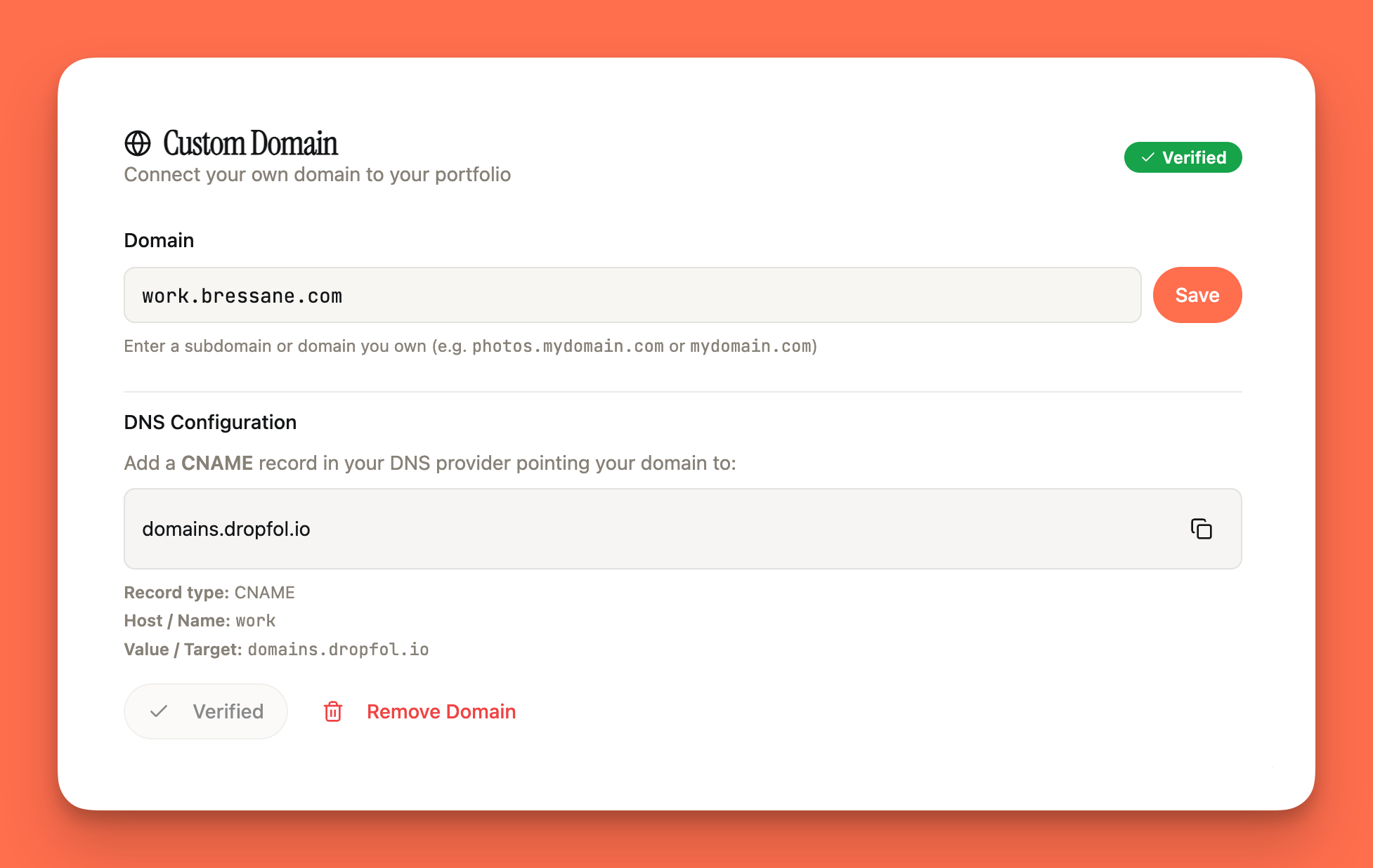
Pro and premium users can now connect their own domain. It’s a small thing that makes a big difference. Just go to your settings, add your domain (or subdomain), set up the DNS on your end, validate, and your Dropfolio now responds to your personal URL.
We made visual changes on mobile. Now, your portfolio is a clean, single-column. feed. Every photo displays at its original proportions. Portraits stay tall, landscapes stay wide, no cropping, and the spacing between images is way more breathable now.
On the desktop, it’s a true masonry layout. Three columns, every image exactly as you shot it. Tight, clean gaps. This is how portfolios should look.
Dropfolio 2.0 was built around one simple idea. Your work deserves to be seen exactly as you created it, and editing it should feel easy. Effortless.
Many more new features and a ton of bug fixes are now live. And you can check them out at dropfol.io.
Go build and show your work to the world.
dropfol.io


